
Extra Amount Feature
Overview
The Extra Amount feature allows partners to add additional fees to a transaction directly from the dashboard. This feature is exclusive to partners and does not affect the amount received by the merchant during payouts.
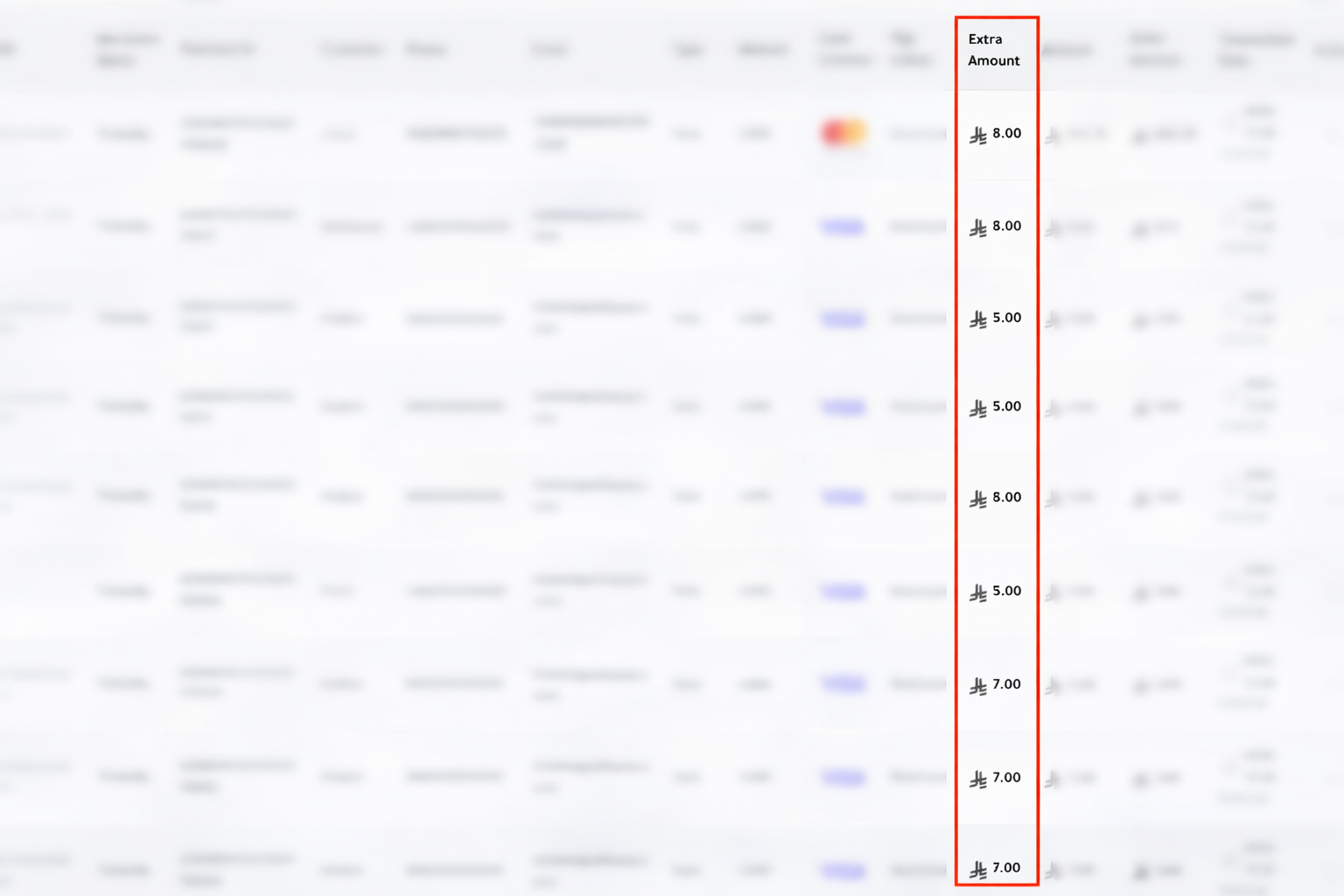
For example, platforms like TicketBy can use this feature to offer extra services such as refund guarantees or WhatsApp reminders to customers. The extra amount is collected from the customer but remains with the partner rather than the merchant.
How It Works
- Extras Parameter: A new
extrasparameter is added to the sale request. - Structure: Each extra is represented as an object with
type,name, andvalue.
Example:
extras: [
  {"type":"AMOUNT","name":"WhatsApp Reminder","value":3},
  {"type":"AMOUNT","name":"Refund Guarantee","value":7}
]Customer Payment: The customer pays the total amount, which includes the ticket price plus any extras.
Payout: Only the original ticket price is sent to the merchant during payout. Extras remain with the partner.
Example Scenario
- Ticket price: SAR 100
- Extra: Refund Guarantee: SAR 10
- Total charged to customer: SAR 110
- Merchant payout: SAR 100
- Partner keeps: SAR 10
Flutter SDK Implementation
final extras = [
  Extra(
    type: "AMOUNT",
    name: fee.nameEn,
    value: "$value",
  )
];

EdfaCardPay()
    .setOrder(order)
    .setPayer(payer)
    .setExtras(extras)
    .setDesignType(EdfaPayDesignType.one)
    .setLanguage(EdfaPayLanguage.en);
API Example
curl --location 'https://api.edfapay.com/payment/post' \
--form 'client_key="XXXXXXXXXXXXXXXXXXXXXXXXXXXXXXXX"' \
--form 'order_id="TEST-XXXXXXXXXXX"' \
--form 'hash="XXXXXXXXXXXXXXXXXXXXXXXXXXXXXXXX"' \
--form 'order_amount="0.11"' \
--form 'card_number="XXXXXXXXXXXXXXXX"' \
--form 'card_exp_month="XX"' \
--form 'card_exp_year="XXXX"' \
--form 'card_cvv2="XXX"' \
--form 'payer_phone="+XXXXXXXXXXX"' \
--form 'payer_country="SA"' \
--form 'payer_address="[email protected]"' \
--form 'action="SALE"' \
--form 'payer_zip="XXXXXX"' \
--form 'payer_ip="XXX.XX.XX.XXX"' \
--form 'order_currency="SAR"' \
--form 'payer_first_name="XXXXXX"' \
--form 'payer_city="XXXXXX"' \
--form 'auth="N"' \
--form 'payer_last_name="XXXXXX"' \
--form 'order_description="Test Order"' \
--form 'payer_email="[email protected]"' \
--form 'term_url_3ds="https://google.com/"' \
--form 'recurring_init="N"' \
--form 'req_token="N"' \
--form 'extras="[{\"type\":\"AMOUNT\",\"name\":\"WhatsApp Reminder\",\"value\":\"3\"},{\"type\":\"AMOUNT\",\"name\":\"Refund Guarantee\",\"value\":\"7\"}]"'
Hash Calculation
To generate the hash parameter for the API request:
var password = "XXXXXXXXXXXXXX";
var cardNumber = "XXXXXXXXXXXXXXXX";
var email = "[email protected]";

// Helper function to reverse a string
const ReverseString = str => [...str].reverse().join('');

// Combine reversed email + password + reversed first 6 + last 4 digits of card
var final = (
    ReverseString(email) +
    password +
    ReverseString(cardNumber.substr(0, 6) + cardNumber.substr(-4))
).toUpperCase();

// Generate MD5 hash
var finalHash = CryptoJS.MD5(final).toString();
console.log(finalHash);

// Save the hash to Postman environment variable (if using Postman)
postman.setEnvironmentVariable('operation_hash', finalHash);
Steps:
- Reverse the customer email.
- Concatenate your merchant password.
- Reverse the first 6 and last 4 digits of the card number and append.
- Convert the string to uppercase.
- Generate an MD5 hash of the final string.
- Use this
finalHashas the hash parameter in the API request.
Notes
- The extras feature is exclusive to partners.
- Extra amounts do not go to the merchant during payouts.
typeshould be "AMOUNT", andvaluerepresents the extra fee in the transaction currency.- Extras can include fees like SMS reminders, refund guarantees, or other partner-specific charges.
Note:
typeshould be "AMOUNT".
Updated 6 months ago