
Plugin Installation
Plugin Download
Download the latest version of the Edfapay plugin from the official repository: Edfapay Plugin.
System Requirements
To ensure smooth operation of the EdfaPay WooCommerce Plugin, your environment must meet the following requirements:
- WooCommerce: Version 3.0.9 or higher (compatible with the latest versions).
- WordPress: Version 4.4 or higher.
- PHP: Versions 5.6 – 8.2. (You can verify your PHP version by navigating to
WooCommerce→Statusin your WordPress dashboard). - SSL Certificate: An active SSL certificate is required for secure transaction processing.
- EdfaPay Merchant Account: A valid and active EdfaPay merchant account.
- EdfaPay WooCommerce Plugin: The EdfaPay WooCommerce Plugin must be installed on your WordPress site (this will be covered in the installation steps).
Step-by-Step Installation
Follow these steps to install the EdfaPay WooCommerce extension:
-
From your WordPress Admin Dashboard, navigate to
Plugins->Add New.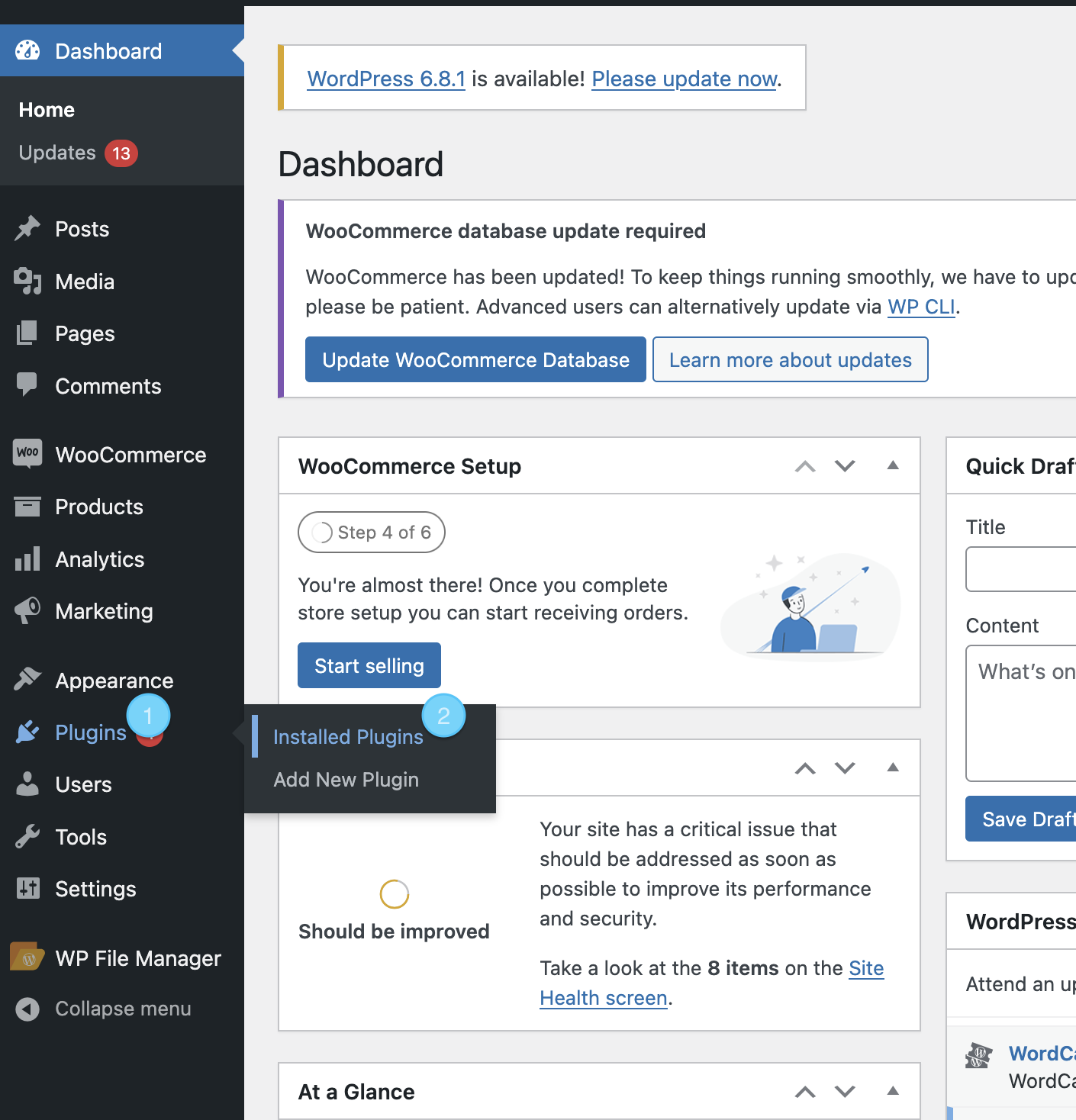
-
Click the
Upload Pluginbutton.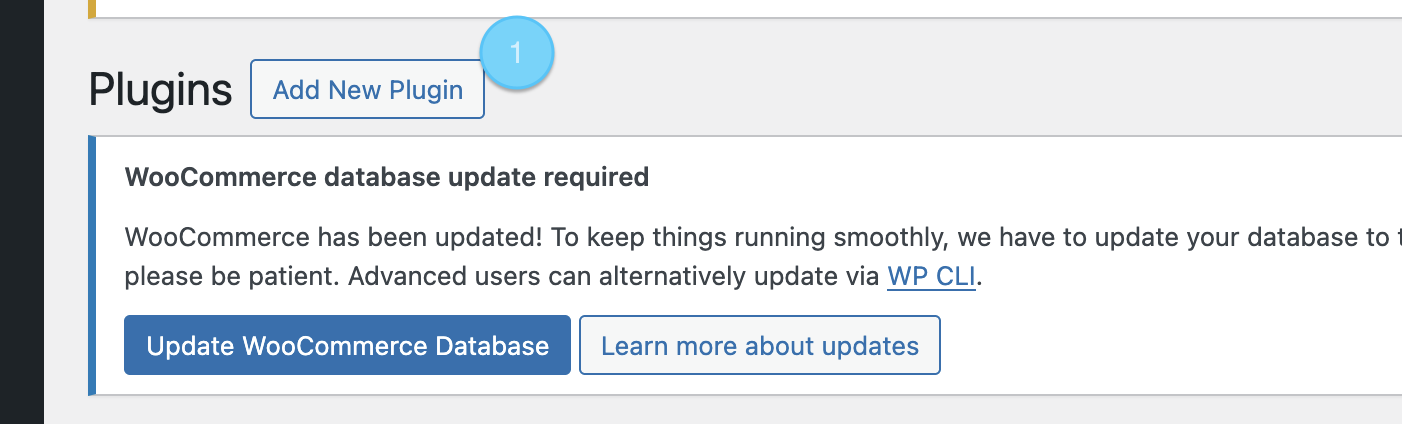
-
Click
Browseto select the EdfaPay plugin.zipfile from your computer, then clickInstall Now.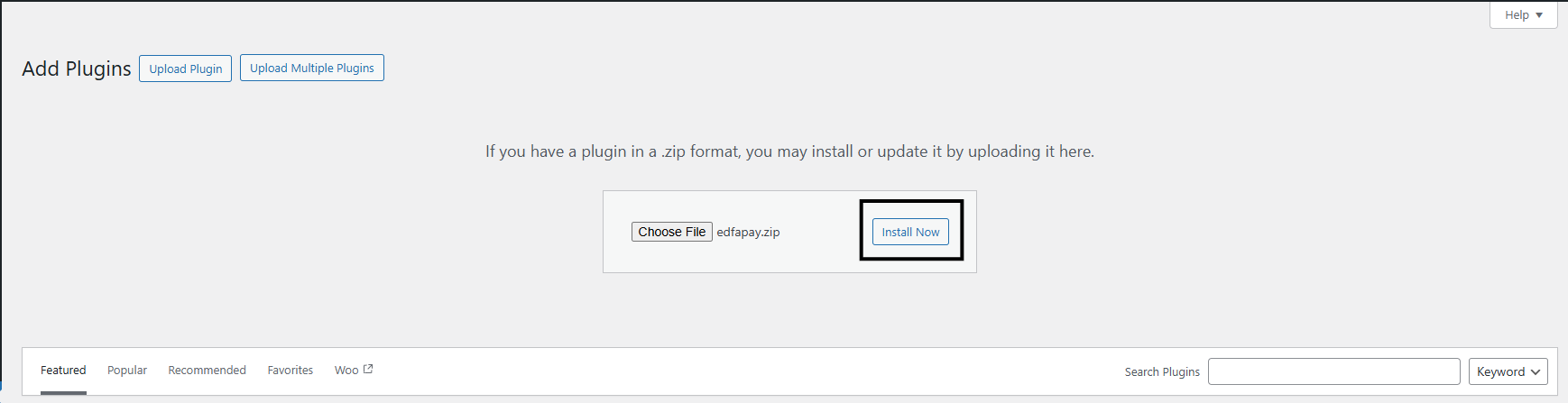
-
Once the plugin is successfully uploaded, go to the
Pluginspage. LocateEdfaPay Payment Gatewayand clickActivateto enable it.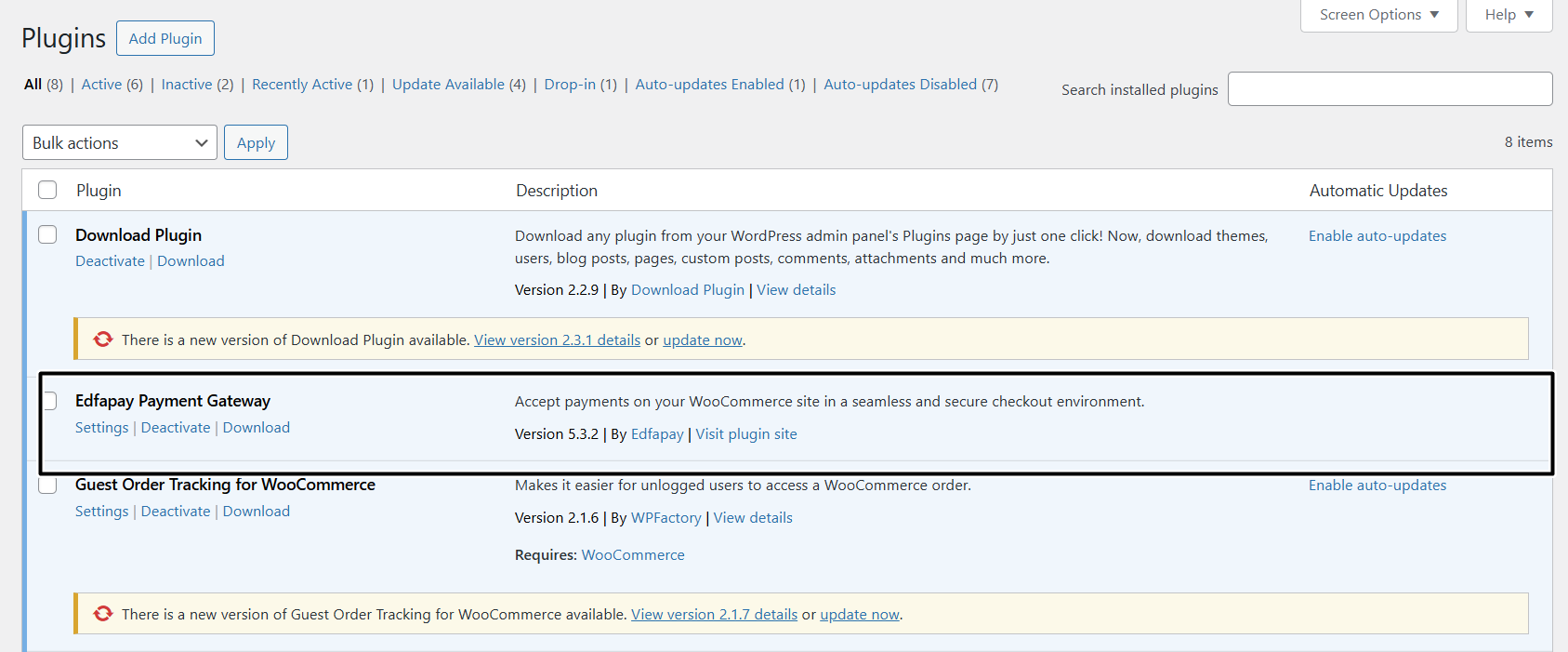
-
After activation, navigate to
WooCommerce→Settings→Paymentsto find "EdfaPay" listed among the payment methods.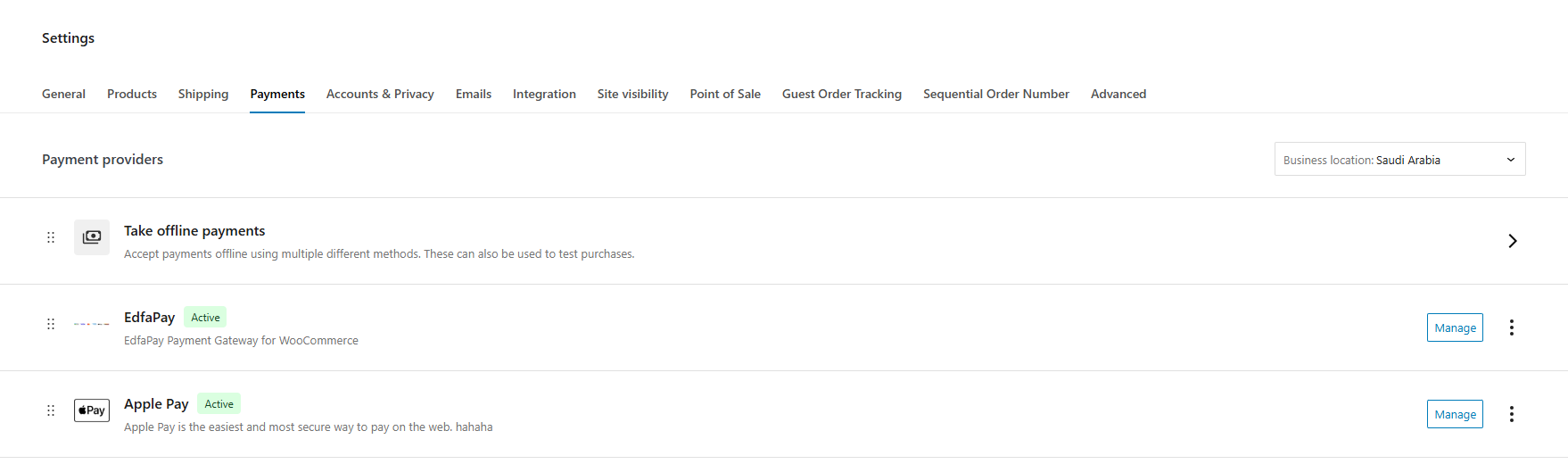
-
Click on "EdfaPay" to access its settings page.
Note
Configuration of credentials and payment behavior will be covered in the next section.
Updated 6 months ago