
Theme Configuration
The Theme Configuration section allows partners and merchants to customize the visual identity of the platform, including branding, colors, and interface assets.
All changes are applied across the dashboard, login pages, and user experience.
Branding & Host Setup
Brand Identity Define how your brand appears across the platform, including Arabic and English names.
Domain Configuration Assign your domain to access the branded dashboard and hosted pages.
Fields
| Field | Description |
|---|---|
| Arabic Name | Brand name displayed in Arabic |
| English Name | Brand name displayed in English |
| Partner Domain | Domain used to access the platform |

Colors & Appearance
Color Fields
| Field | Description |
|---|---|
| Primary Color | Main UI color |
| Sidebar Color | Sidebar background |
| Sidebar Icon Color | Sidebar icon color |
Dark Mode
Enable dark mode to apply separate colors and assets for dark-themed interfaces.

Color values must be provided in HEX format (e.g., #FF5733).
Media Center
Login Experience Customize login page visuals including logo and carousel images.
Dashboard Branding Configure logos and assets used across the dashboard and loading screens.
Assets
| Asset | Description |
|---|---|
| Login Logo | Logo displayed on the login page |
| Login Carousel Images | Up to 5 images for the login carousel |
| Dashboard Logo | Logo displayed in the header |
| Loader Logo | Logo shown during loading |
| Tab Logo | Browser tab icon |
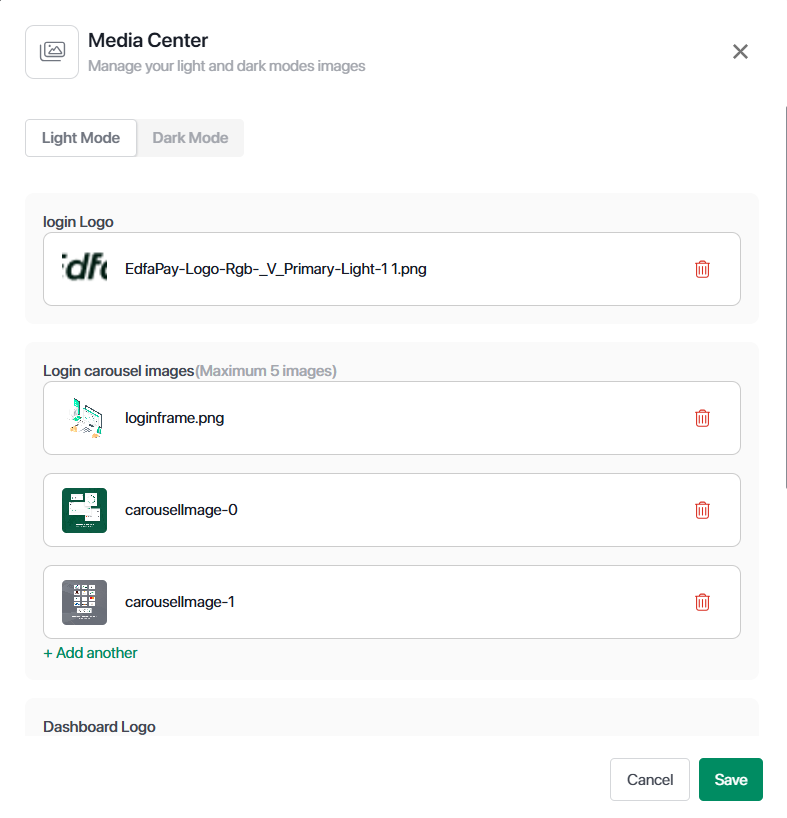
Management
Partners can upload, replace, or delete images at any time.
Dark mode assets can be configured separately.
Important Notes
All images must be in JPG, PNG, or HEIF format and must not exceed 2MB in size.
Login carousel supports a maximum of 5 images.
Upload separate assets for dark mode if enabled.
Updated 5 months ago