
Reports & Transactions
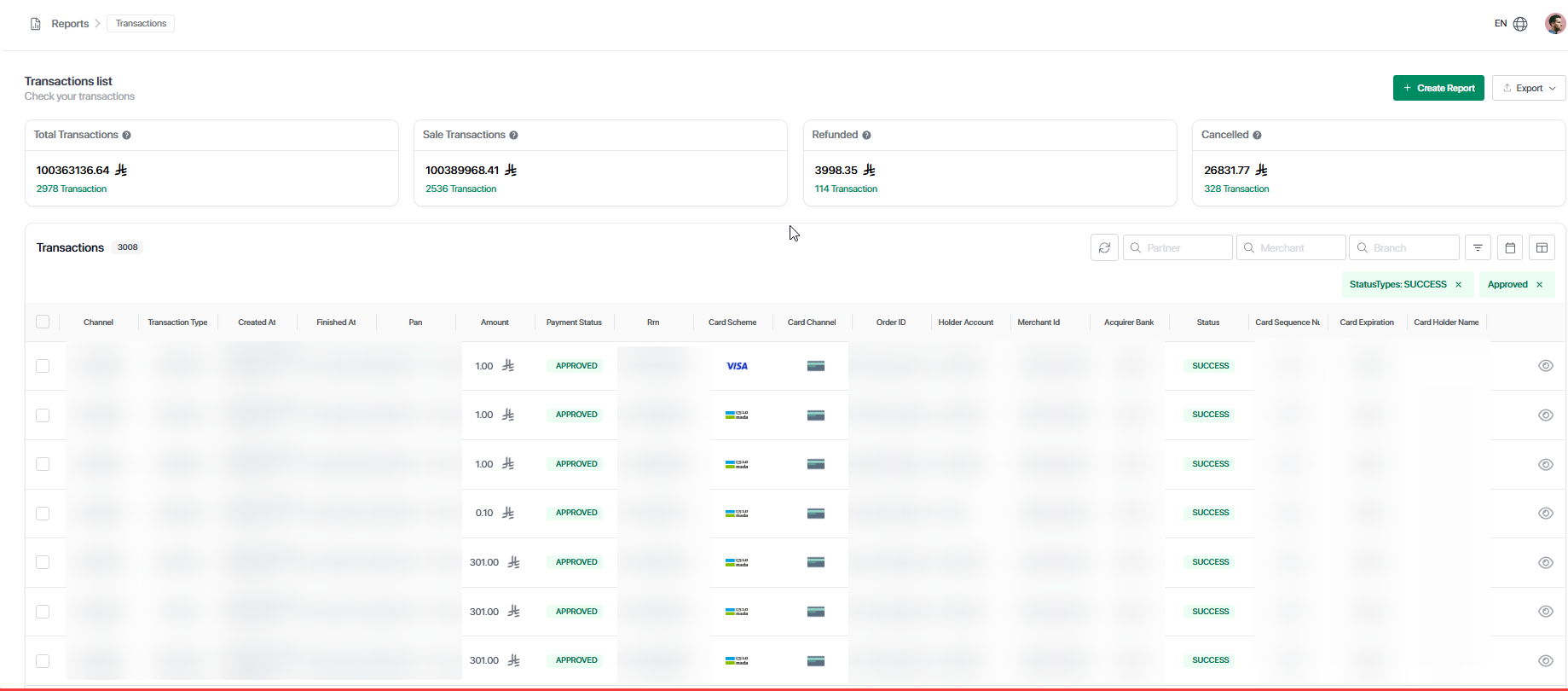
The Reports & Transactions section provides complete visibility into transaction activity, performance, and financial data across the platform.
It allows users to review transactions in real time, apply advanced filters, export data instantly, and generate reports for further analysis.
The Reports module includes Transactions, Reports, and Reconciliation, each designed to handle a specific part of financial monitoring and management.
Dashboard Page
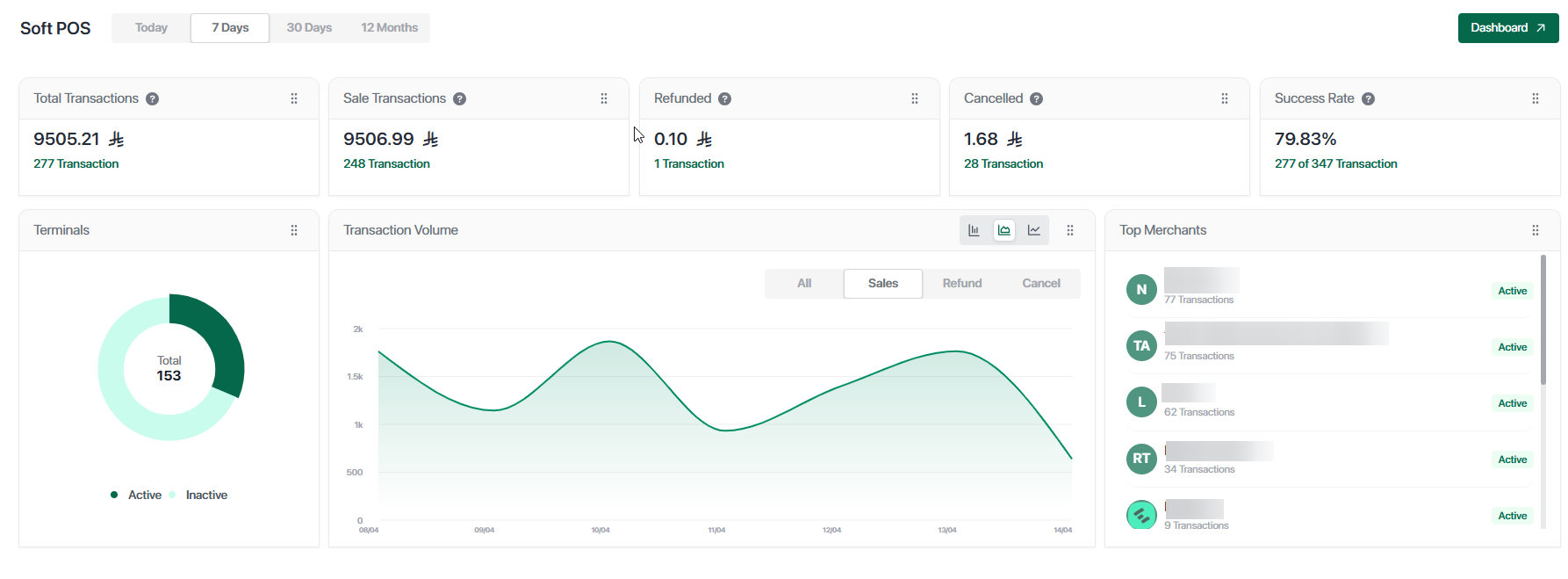
When a user logs in, the Dashboard is displayed by default. It provides a high-level overview of transaction activity and system performance.
The dashboard presents key financial metrics such as total revenue, purchases, refunds, and reversals, along with the number of transactions for each category. It also includes terminal insights showing registered and unregistered devices, as well as charts that visualize transaction trends over time.
In addition, partners can view top-performing merchants based on transaction activity.
Dashboard Customization
The dashboard is fully customizable, allowing users to rearrange widgets, adjust the layout, and tailor the view based on their preferences.
Users can also apply date filters such as today, the last 7 days, 30 days, or 12 months to analyze performance over different time ranges.
Dashboard View
Transactions Page
The Transactions page allows users to search, filter, review, and export transaction data efficiently.
Users can refine results by applying multiple filters at the same time. These filters include transaction type, card scheme, payment channel, transaction status, and payment status. In addition, transactions can be searched using specific identifiers such as order ID, reference number, amount, or a selected date range.
This flexibility enables precise tracking and investigation of transactions across the system.
Export & Reporting
The Transactions page supports two types of export operations.
Users can export the currently visible transactions instantly based on the applied filters. Alternatively, they can generate reports that are processed in the background and made available for download later. This is particularly useful when working with large datasets or when scheduled reporting is required.
The platform also supports audit and traceability features, allowing users to easily investigate transaction history and track activities.
Reports Page
The Reports page provides access to all previously generated reports.
From this page, users can review report history, download reports again, and track the status of generated reports. All reports are based on the filters applied in the Transactions page, ensuring consistency between viewed data and exported data.
Key Benefits
The Reports & Transactions module offers full visibility into financial operations, allowing users to monitor activity in real time and make informed decisions.
It provides advanced filtering capabilities that simplify searching and analyzing transactions, along with flexible export options for both instant downloads and scheduled reports.
The dashboard can be customized to match different workflows, while the clear separation between real-time transactions and generated reports ensures better organization and usability.
Additionally, built-in audit and traceability features make it easy to investigate and track transaction history when needed.
Important Notes
Key Notes
Filters apply only to data the user is authorized to access.
Exported data matches the applied filters exactly.
Dashboard widgets reflect real-time transaction data.
Updated 5 months ago