
Payment Link (Pay by Link)
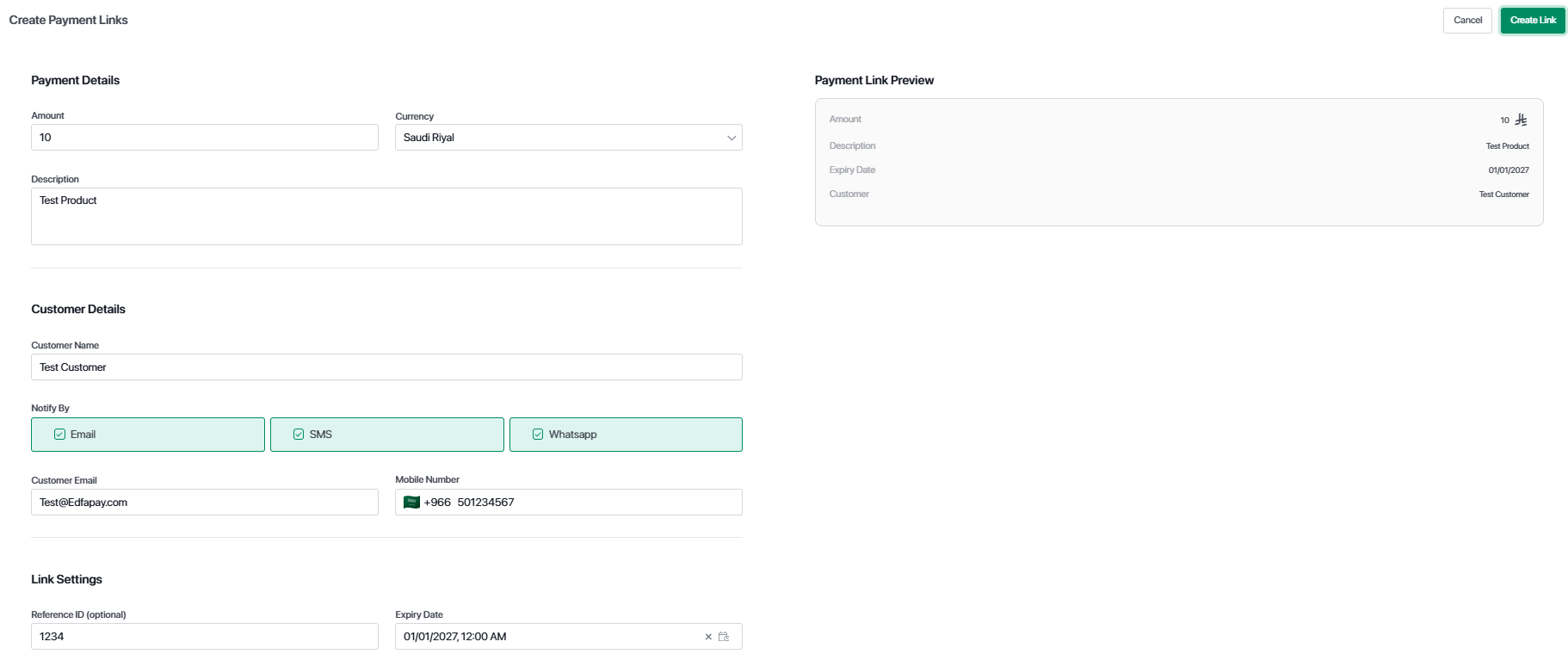
The Payment Link (Pay by Link) page allows merchants to create and manage payment links that can be shared with customers to complete payments remotely.
This feature is designed for merchants who want to collect payments without requiring the customer to be physically present or use a POS device.
Important Note
This feature is available to Merchants only.
What Is a Payment Link?
A payment link is a secure URL generated by the system that allows a customer to complete a payment online.
Once created, the link can be shared through email, SMS, or WhatsApp, enabling a seamless remote payment experience.
Create Payment Link
The Create Payment Link page allows merchants to generate a new payment link by entering payment and customer details.
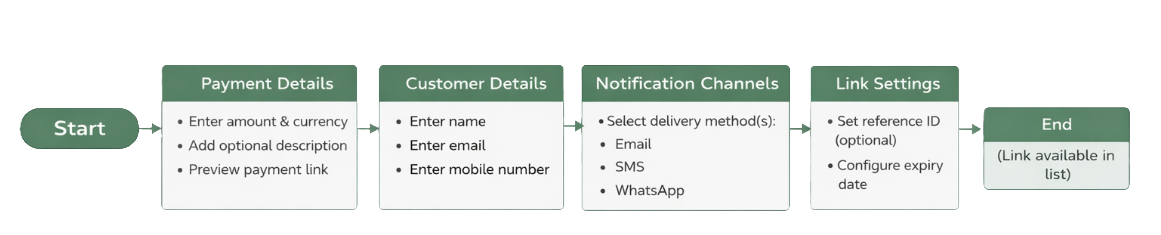
Define the payment amount, currency, and an optional description.
A preview of the payment link is displayed to review the entered information before creation.
Enter customer information including name, email address, and mobile number to personalize the payment experience.
Select how the payment link will be sent to the customer.
Supported channels include email, SMS, and WhatsApp, and multiple channels can be selected at the same time.
Configure additional options such as reference ID and expiry date.
The expiry date determines how long the payment link remains valid.
Once all required information is completed, click Create Link.
The payment link is generated instantly and becomes available in the Payment Links list.
Payment links are generated instantly and can be shared immediately after creation.
Payment Links Page
The Payment Links page displays all links created by the merchant and provides full visibility into their status and usage.
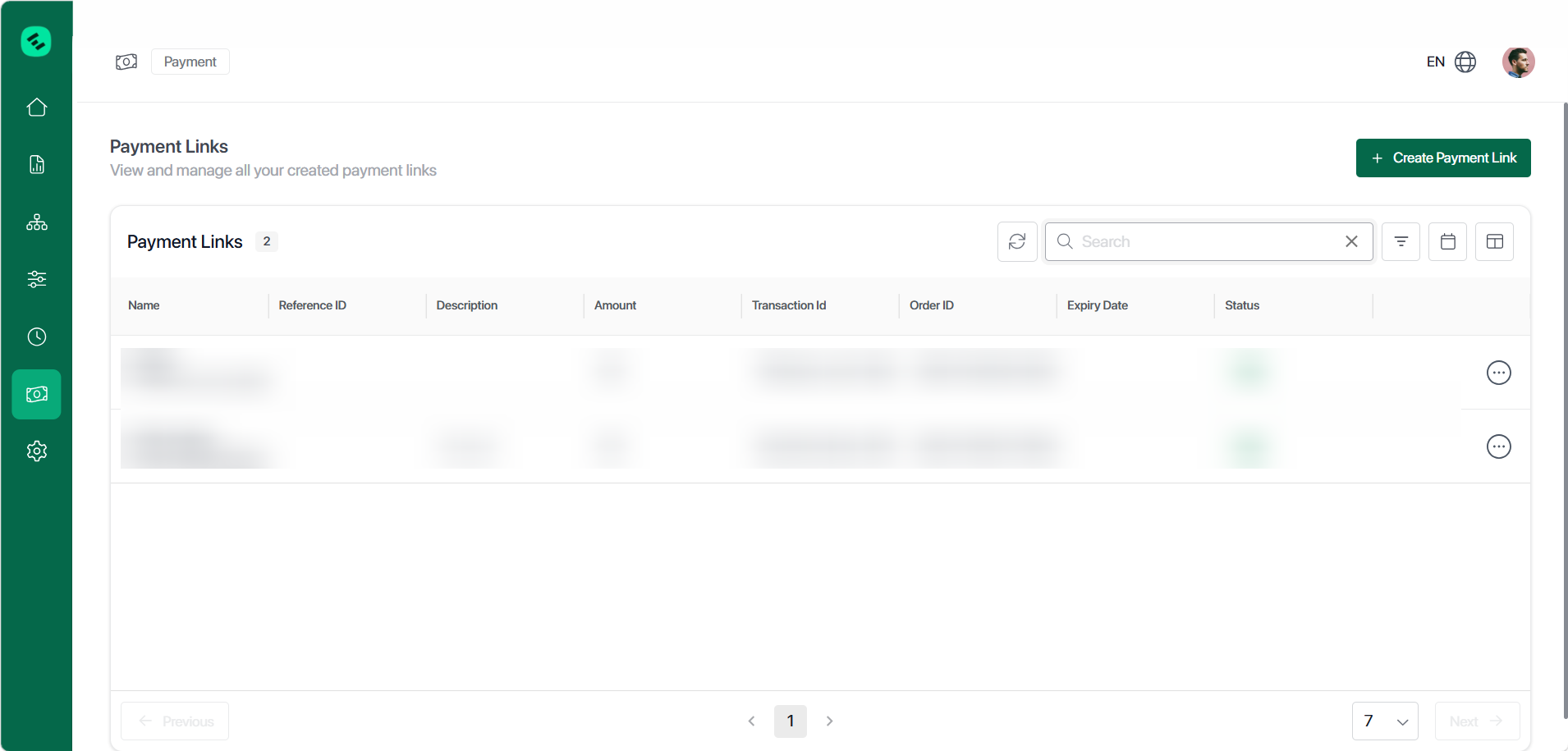
Each payment link includes details such as customer name, reference ID, description, amount, order ID, expiry date, and status.
If the payment is completed, the transaction ID is also shown.
Payment links can have different statuses including active, paid, expired, or cancelled.
These statuses help track the lifecycle of each link.
Merchants can view, copy, or cancel payment links.
Cancelled or expired links can no longer be used for payment.
Key Benefits
The Payment Link feature enables easy remote payment collection without requiring physical devices.
It supports multiple sharing channels, provides full visibility into payment status, and ensures secure and trackable transactions.
Important Notes
Key Notes
Payment links are visible only to the merchant who created them.
Expired or cancelled links cannot be reused.
Paid links are locked and cannot be modified.
Updated 5 months ago