
CS Cart
EdfaPay provides a secure payment gateway integration for CS-Cart. You can download the plugin from our public repository and follow the steps below to install and configure it.
Source Files
The CS-Cart EdfaPay plugin is available here: CS-Cart
Installation Steps
-
Navigate to Add-ons
In your CS-Cart Admin Panel go to:
Add-ons > Manage add-ons > Manual installation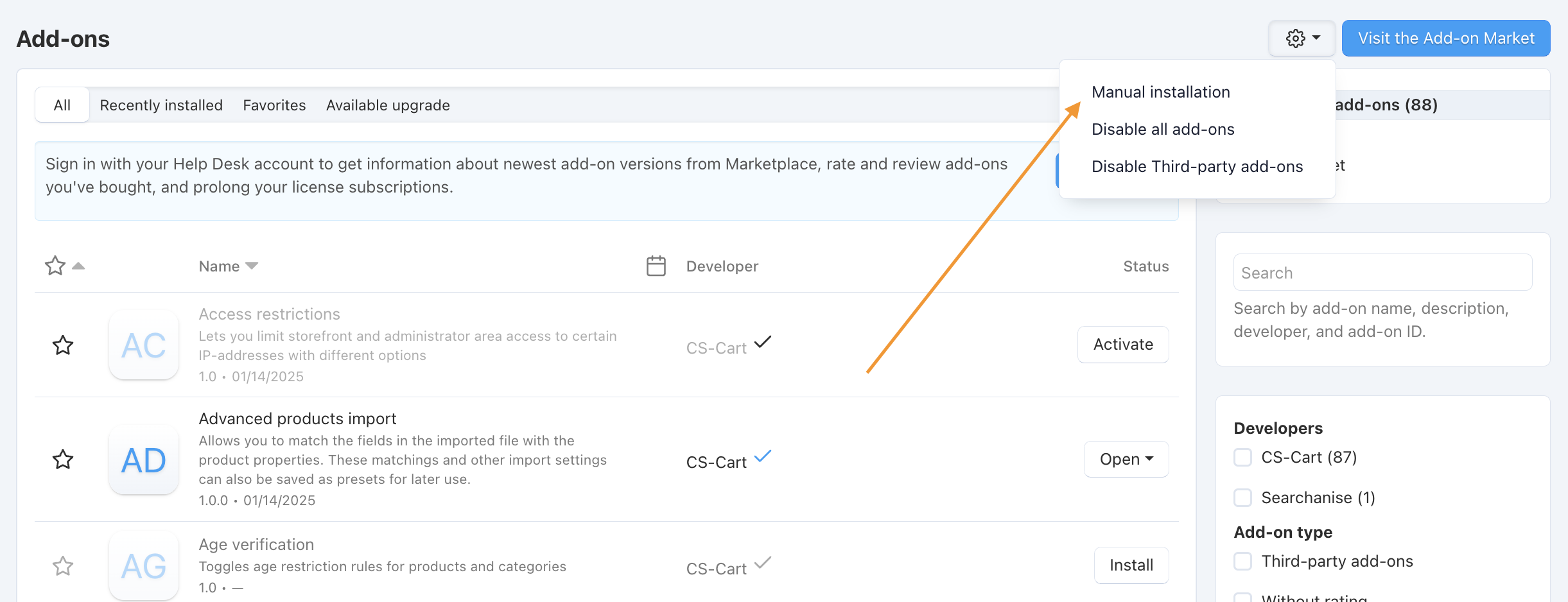
-
In the opened pop-up window select the add-on file. Upload a file in zip format from the local computer (Local)
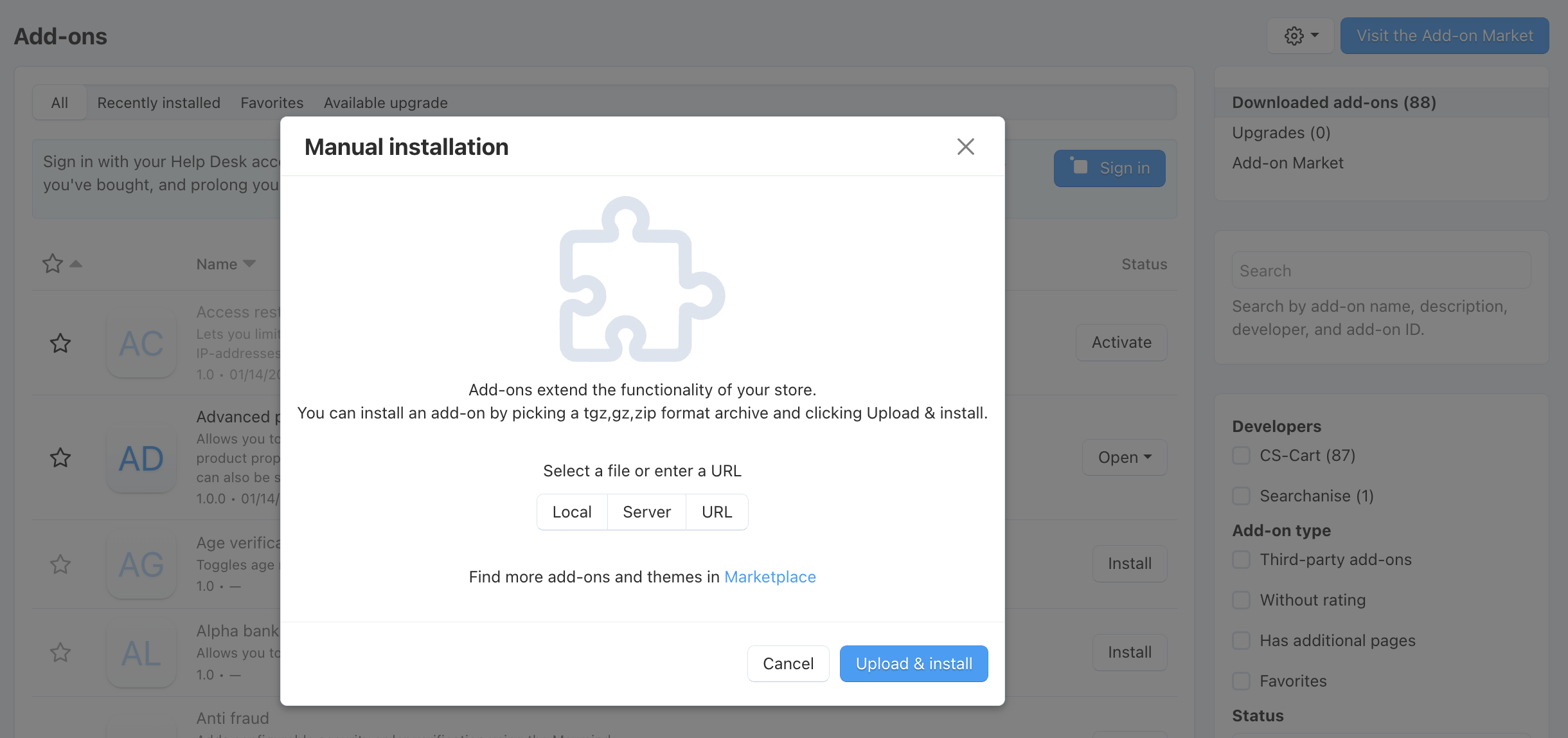
-
Activate Edfapay
After installation, you should see EdfaPay listed in your add-ons. Make sure it is activated.
-
Set Up Payment Method
Go to:
Administration > Payment methods
Select EdfaPay and click Edit.

-
Configure Processor
Set the processor to EdfaPay, then go to the Configuration tab.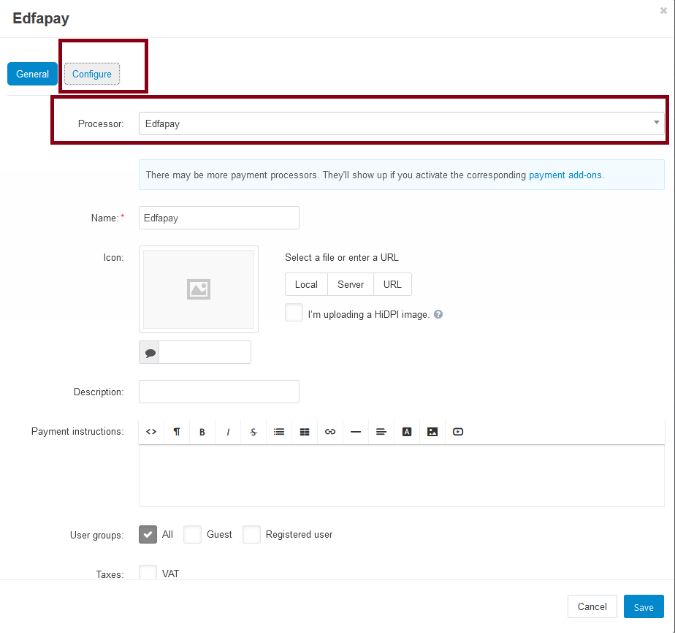
-
Enter Credentials
Enter your Merchant Key and Password provided by EdfaPay and click Create.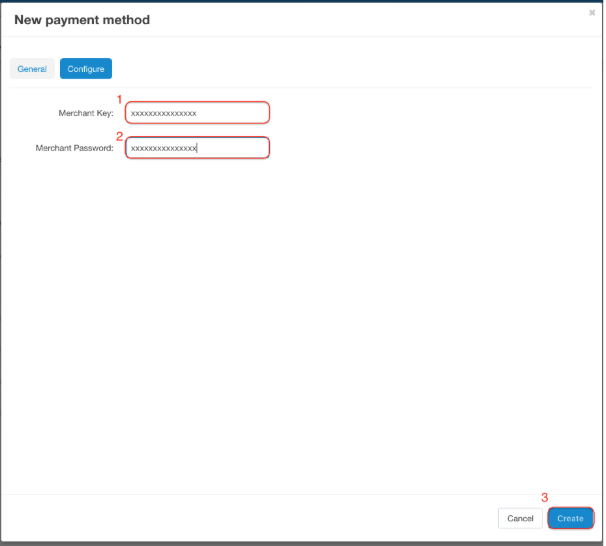
Callback Configuration
Set the callback (notification) URL in your EdfaPay merchant dashboard using this exact format:
https://<your-cs-cart-website>/index.php?dispatch=payment_notification.return&payment=edfapay&act=callbackUpdated 5 months ago