
Extension Configuration
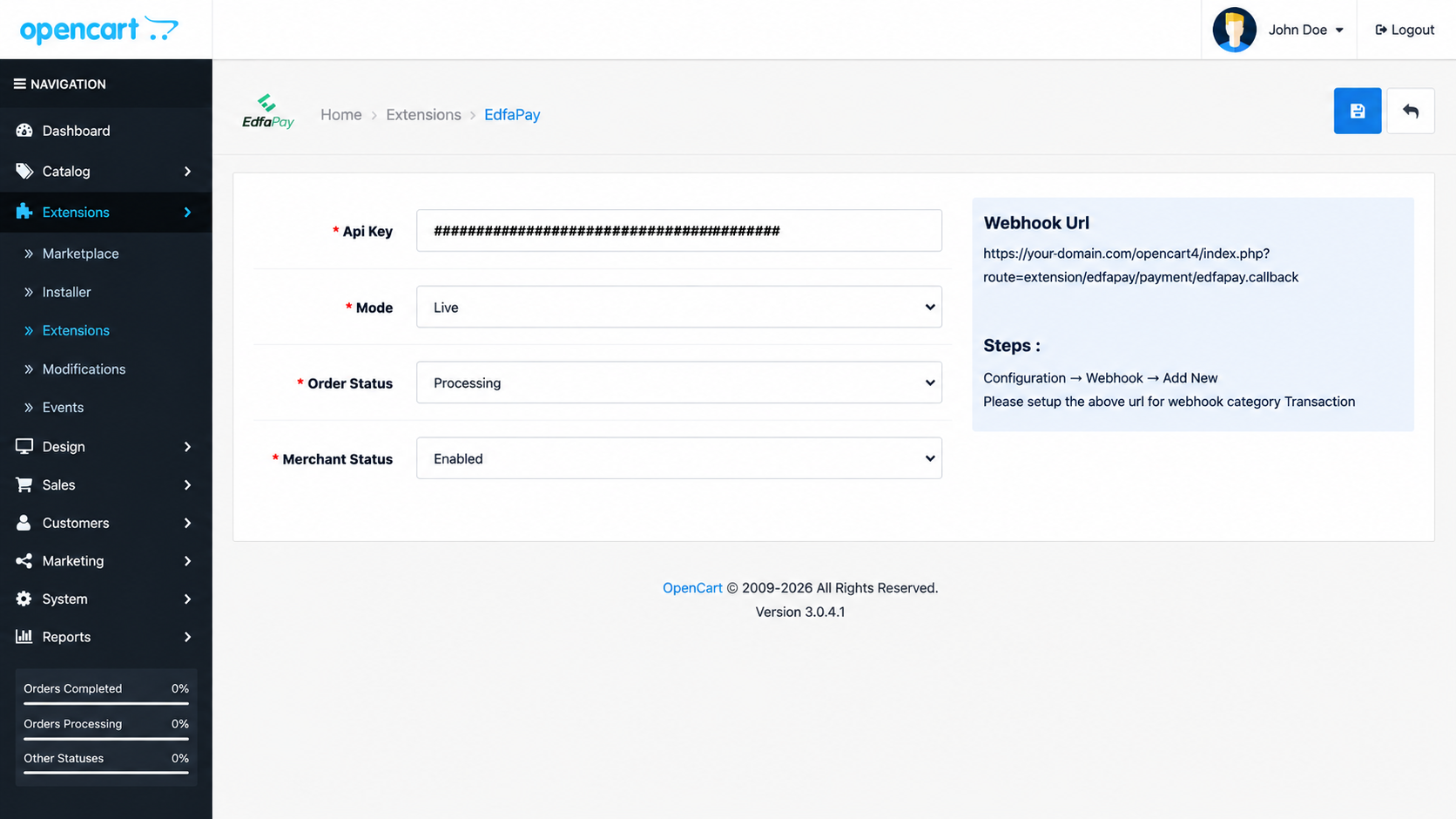
| Configuration | Description |
|---|---|
| API Key | API authentication key provided by EdfaPay |
| Mode | Select transaction environment (Test / Live) |
| Order Status | OpenCart order status after successful payment |
| Merchant Status | Enable or disable the EdfaPay payment method |
| Webhook URL | Callback URL used for payment status synchronization |
Configuration Notes
Enter the API Key provided by the EdfaPay Merchant Portal. Learn more about generating API credentials here.
Mode
Choose the transaction environment:
- Test → Sandbox transactions
- Live → Production transactions
Order Status
Defines the order status assigned after successful payment processing.
Example:
ProcessingMerchant Status
Controls whether the payment method is available during checkout.
Options:
- Enabled
- Disabled
Webhook URL
The webhook URL is automatically generated by the extension and should be configured inside the EdfaPay Dashboard.
Example:
https://your-domain.com/index.php?route=extension/edfapay/payment/edfapay.callback
ImportantEnsure the webhook URL is configured correctly in the EdfaPay Dashboard to receive transaction updates and synchronize order statuses automatically.
For complete webhook setup, delivery process, and notification handling, please refer to the official webhook documentation below.
Updated 4 months ago
What’s Next
Did this page help you?