
Plugin Installation
Plugin Download
Download the latest version of the Edfapay plugin from the official repository: Edfapay Plugin.
System Requirements
To ensure smooth operation of the EdfaPay WooCommerce Plugin, your environment must meet the following requirements:
- WooCommerce: Version 3.0.9 or higher (compatible with the latest versions).
- WordPress: Version 4.4 or higher.
- PHP: Versions 5.6 or higher.
- SSL Certificate: An active SSL certificate is required for secure transaction processing.
- EdfaPay Merchant Account: A valid and active EdfaPay merchant account.
- EdfaPay WooCommerce Plugin: The EdfaPay WooCommerce plugin package (.zip file).
Step-by-Step Installation
Follow these steps to install and configure the EdfaPay WooCommerce plugin:
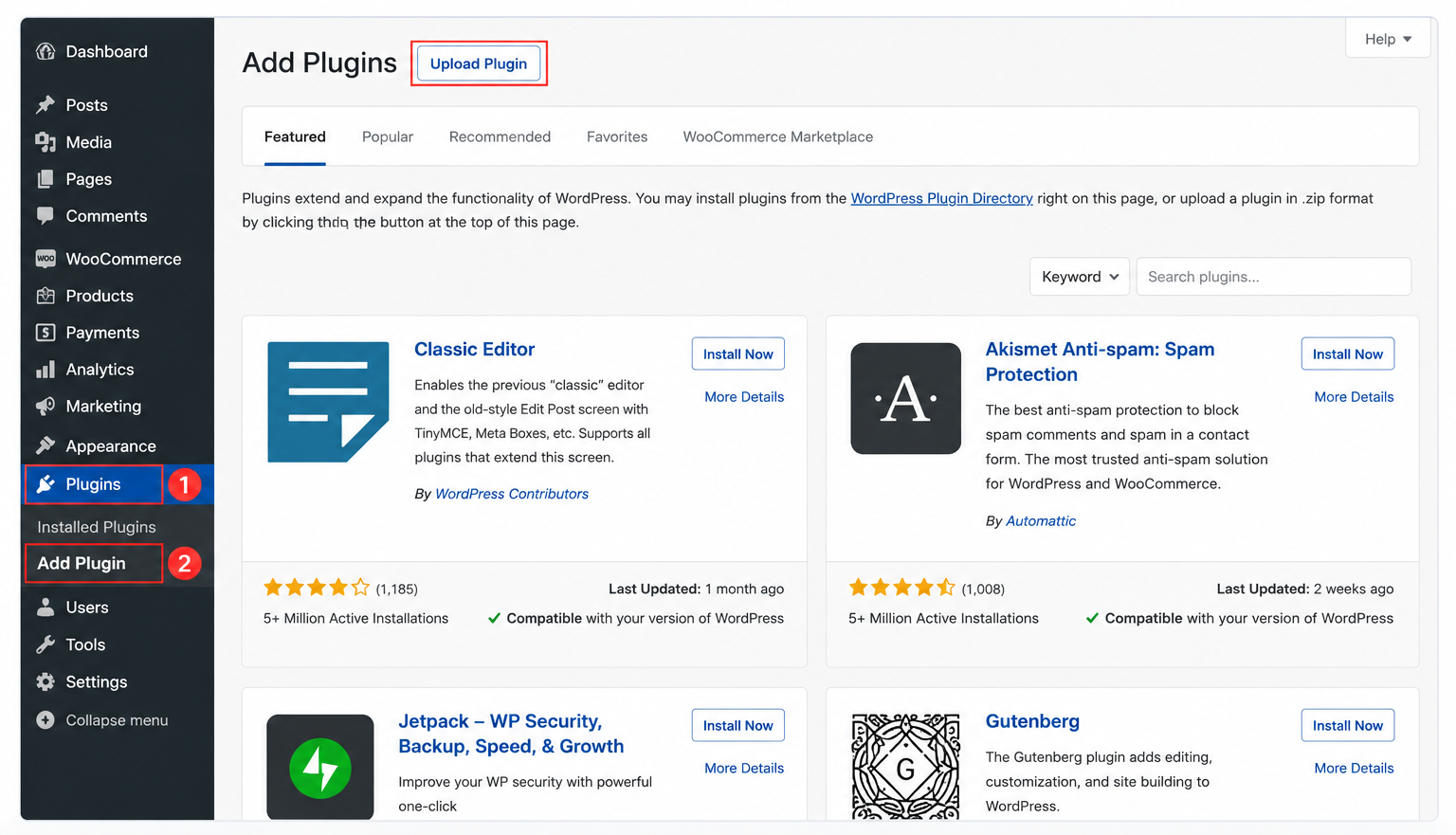
Navigate to Add Plugin
From your WordPress Admin Dashboard, navigate to:
Plugins → Add Plugin
Upload and Install the Plugin
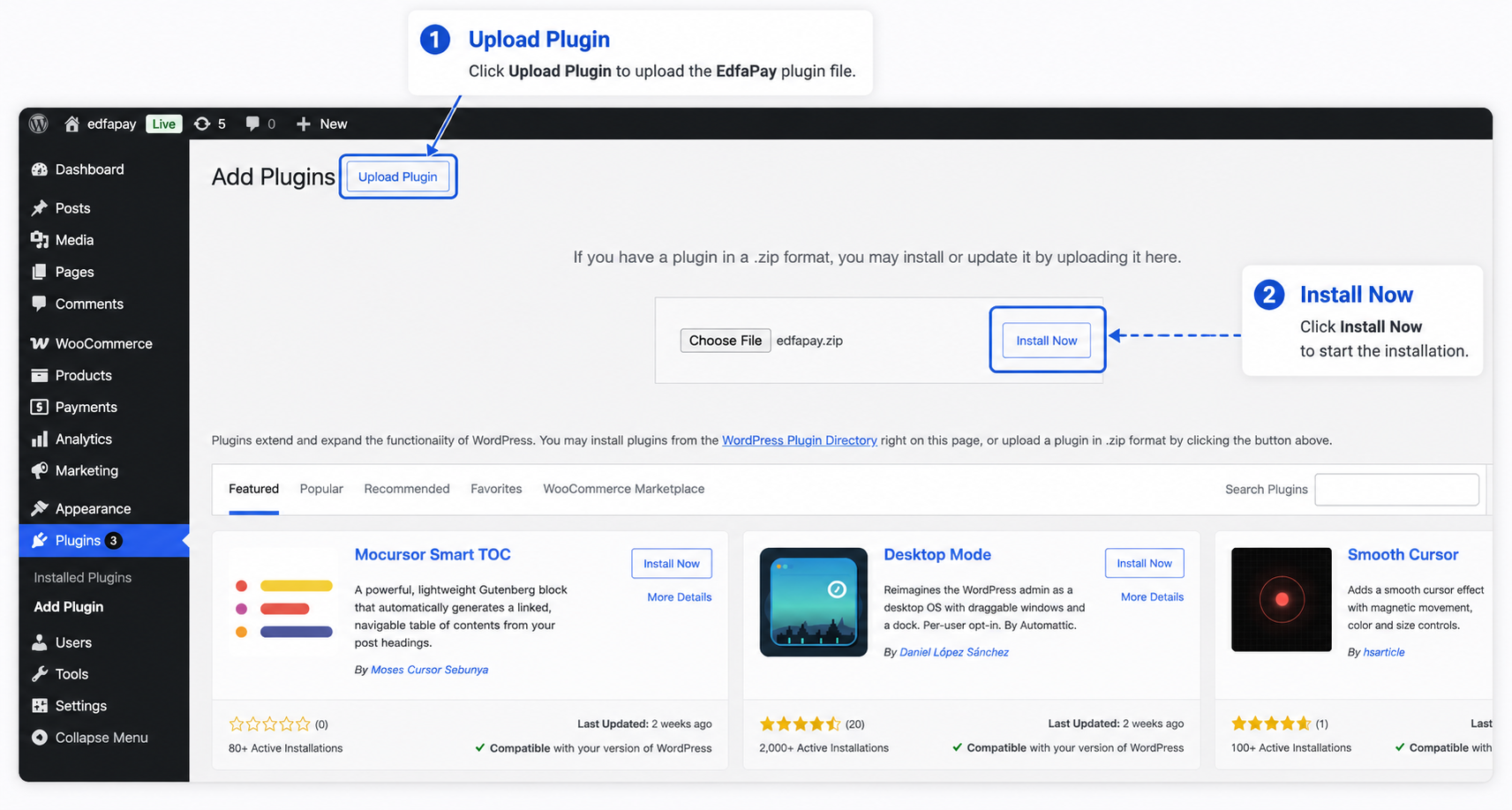
Click Upload Plugin, select the EdfaPay plugin .zip file, then click Install Now.
Activate the Plugin
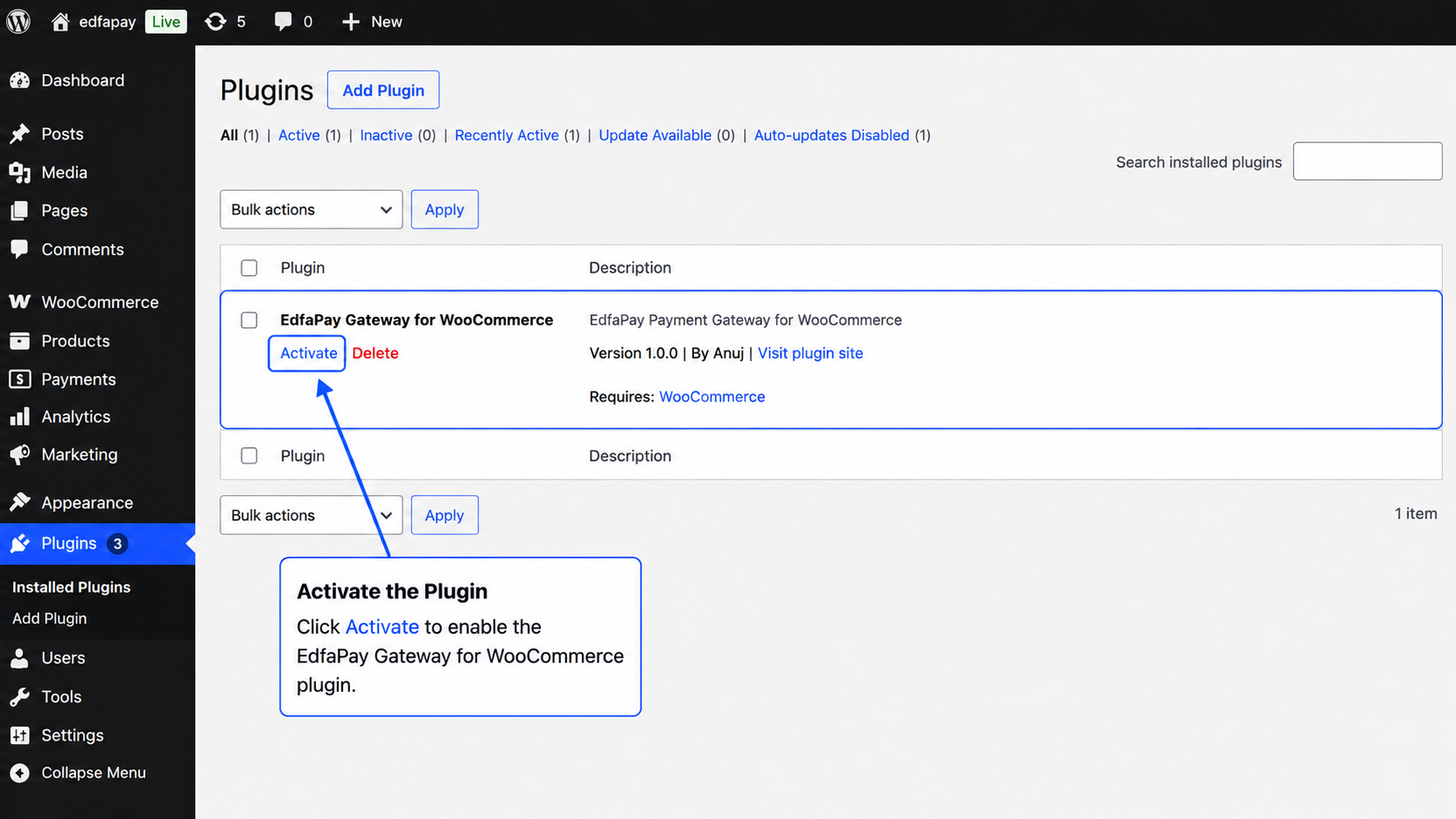
After the installation is completed, locate EdfaPay Gateway for WooCommerce and click Activate.
Next Step
Congratulations! The EdfaPay WooCommerce Plugin has been successfully installed.
To start accepting payments through EdfaPay, continue to the Plugin Settings for EdfaPay WooCommerce guide, where you will learn how to configure the plugin and connect your EdfaPay merchant account.
Updated 4 months ago