
Webhook Logs & History
EdfaPay provides a webhook monitoring feature that allows both merchants and partners to track webhook activity directly from the dashboard.
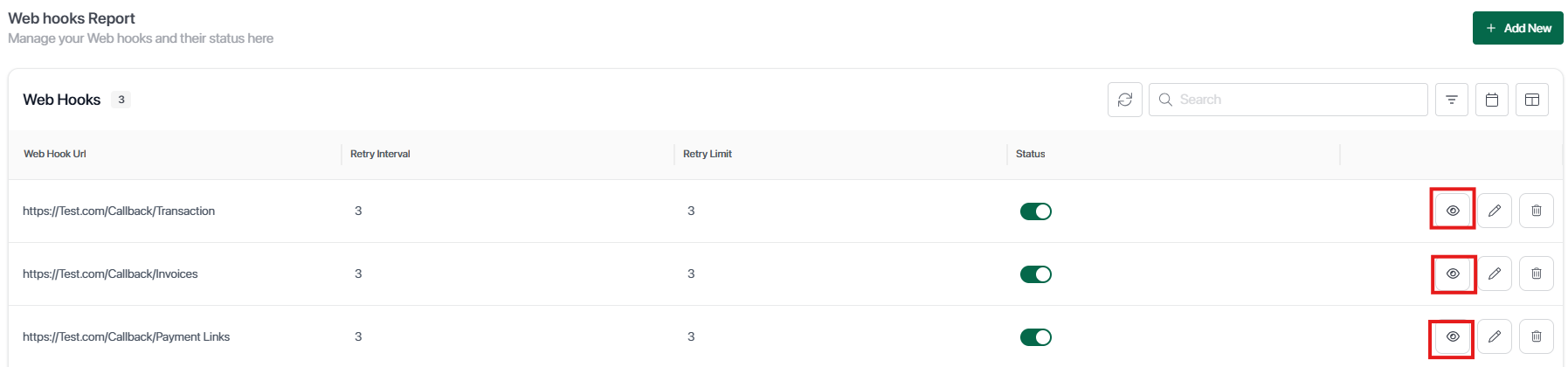
Filter by Webhook Category
From the Webhook page, users can filter webhook logs based on category:
- Transactions
- Invoices
- Payment Links
This helps in isolating specific webhook events relevant to the use case.
View Webhook History
Each webhook entry includes a view icon (👁️).
When clicked, it displays the full webhook history including:
-
Request details sent from EdfaPay
-
Response returned from the merchant system
-
Delivery attempts and retries
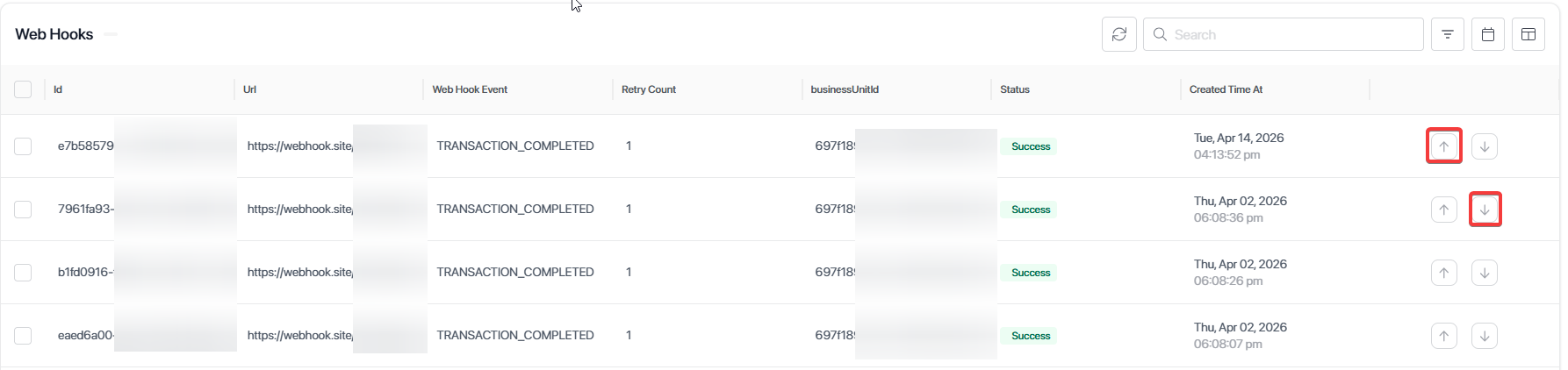
Request & Response Indicators
Each webhook log contains two indicators:
-
⬆️ Up Arrow (Request) : Represents the webhook request sent from EdfaPay
-
⬇️ Down Arrow (Response) : Represents the response received from the merchant system
This helps in verifying whether the webhook was successfully received and processed.
Webhook Status
Each webhook includes a status indicator:
- Success → Webhook was successfully received and acknowledged
- Failed → Webhook was not properly received or processed
Merchant vs Partner Visibility
-
Merchants can view webhook logs related to their own transactions and activities
-
Partners can view webhook logs across their merchants, including:
- All transaction-related webhooks
- Activity across multiple merchant accounts
💡 Use Case
This feature is useful for:
- Debugging failed webhook deliveries
- Verifying payment notifications
- Monitoring system integrations in real-time
Key Notes
Webhook logs provide real-time visibility into event delivery and processing.
Always verify both request and response to ensure successful integration.
Use webhook history to debug failed deliveries and retry scenarios.
Monitoring webhook activity helps maintain reliable system synchronization.
Updated 6 months ago