
Overview
Welcome to EdfaPay SoftPOS Documentation

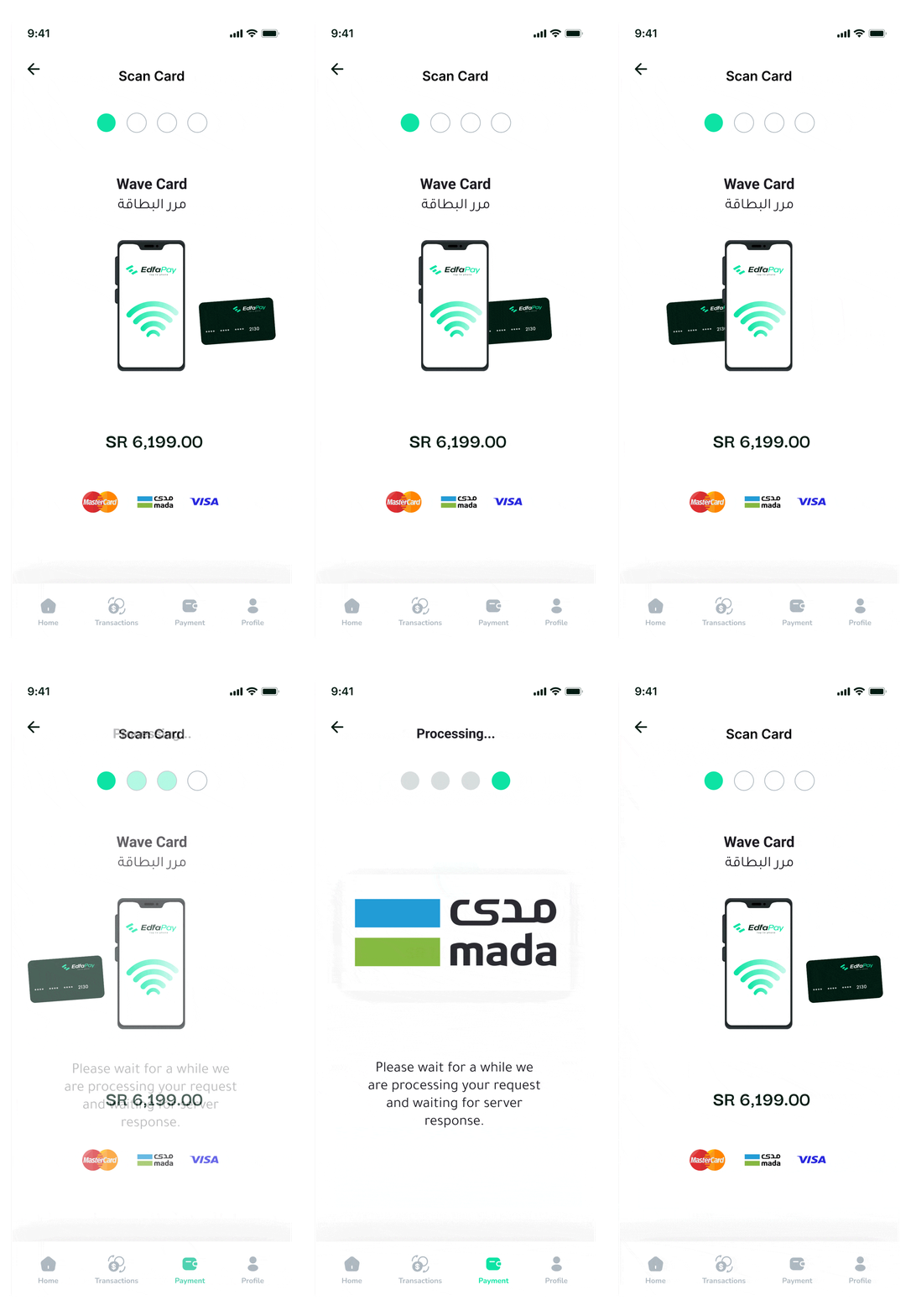
Transform any compatible Android device into a secure, fully functional
Point of Sale (POS) terminal with EdfaPay SoftPOS. This
innovative solution empowers businesses to accept contactless payments
effortlessly, significantly reducing costs while maintaining top-tier
security standards—all without traditional POS hardware.
Why Choose EdfaPay SoftPOS?
EdfaPay SoftPOS offers a seamless, cost-effective, and scalable approach to in-person payment acceptance, designed for modern businesses.
- Hardware-Free Payments – Accept contactless Visa, Mastercard, Mada, and mobile wallet payments directly on your Android device—no additional POS terminals required.
- Secure & Certified – Full compliance with PCI DSS, EMVCo, and NFC/contactless security standards.
- Fast Setup – Install the application, onboard your business, and begin accepting payments within minutes.
- White-Label Ready – Customize the application with your own branding for a seamless merchant experience.
- Unified Dashboard – Monitor online and in-person transactions from one centralized dashboard.
- Affordable Scaling – Eliminate hardware costs and empower your staff to accept payments anywhere.
EdfaPay SoftPOS Capabilities
Accept NFC-enabled credit and debit cards directly on your Android device,
eliminating the need for dedicated POS hardware.
Support major digital wallets including Apple Pay, Google Pay, Mada Pay,
and more.
Monitor every SoftPOS transaction instantly through the EdfaPay Dashboard
or via APIs.
Manage multiple devices or staff members under a single merchant account.
Process refunds and review settlement reports directly from the dashboard.
Protect sensitive payment data using industry-standard encryption and
tokenization.
Documentation Overview
Quickly find the resources you need to successfully deploy and manage EdfaPay SoftPOS.
- Getting Started – Learn how to onboard, configure, and activate SoftPOS.
- Integration & APIs – Explore API endpoints and SDKs for integrating SoftPOS into your applications.
- Dashboard Management – Manage devices, monitor transactions, and generate reports.
- Testing & Sandbox – Simulate transactions and validate integrations before going live.
- Compliance & Security – Review certifications, compliance requirements, and security architecture.
- Support & Troubleshooting – Access FAQs, troubleshooting guides, and error code references.
Simplified Activation Flow
- Install the App – Download and install EdfaPay SoftPOS on a compatible Android device.
- Business Onboarding – Register or connect your merchant account through the EdfaPay Dashboard.
- Device Activation – Activate the device securely using the provided credentials or QR code.
- Accept Payments – Start accepting contactless card and mobile wallet payments immediately.
- Monitor & Manage – Track transactions, issue refunds, and reconcile settlements from the dashboard.
We are committed to providing the tools, documentation, and support you need to successfully deploy EdfaPay SoftPOS. Start exploring the documentation today and transform your Android devices into secure, powerful point-of-sale terminals.
Updated 3 months ago