
Merchant Registration
Start your EdfaPay journey with our streamlined, three-phase online registration. This guide offers a detailed overview of each step, preparing you for what to expect and helping you gather the necessary documents for a seamless onboarding experience. Ready to begin? Register Now
Phase 1: Your Contact and Business Type Details
The initial phase focuses on gathering your essential contact and business type information.
Required Information
| Field | Description |
|---|---|
| Full Name | Your complete legal name |
| Mobile Number | A unique mobile number not previously registered with EdfaPay. International numbers are supported |
| Email Address | A unique email address not previously registered with EdfaPay |
| Business Type | Select either Company or Freelancer |
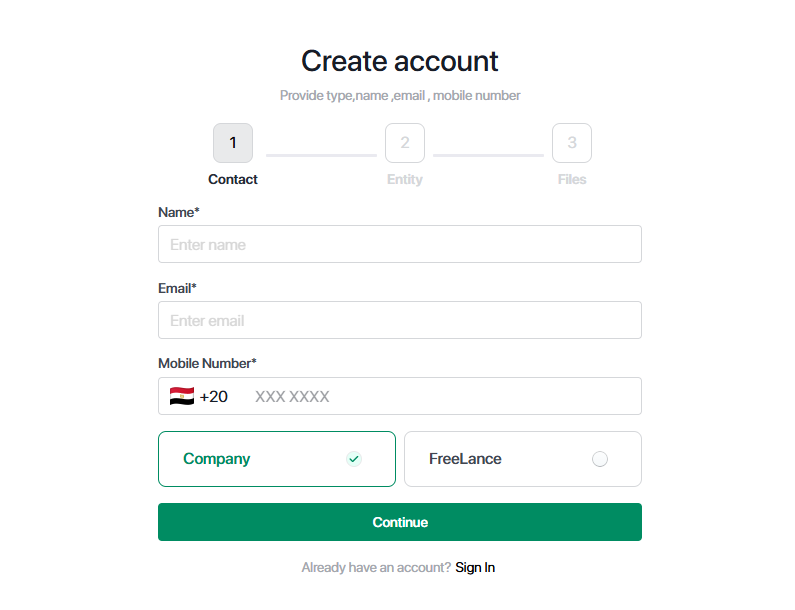
Important Note:All provided contact details (Full Name, Mobile Number, Email Address) must be unique and not previously associated with an EdfaPay account.
Phase 2: Entity and Banking Information
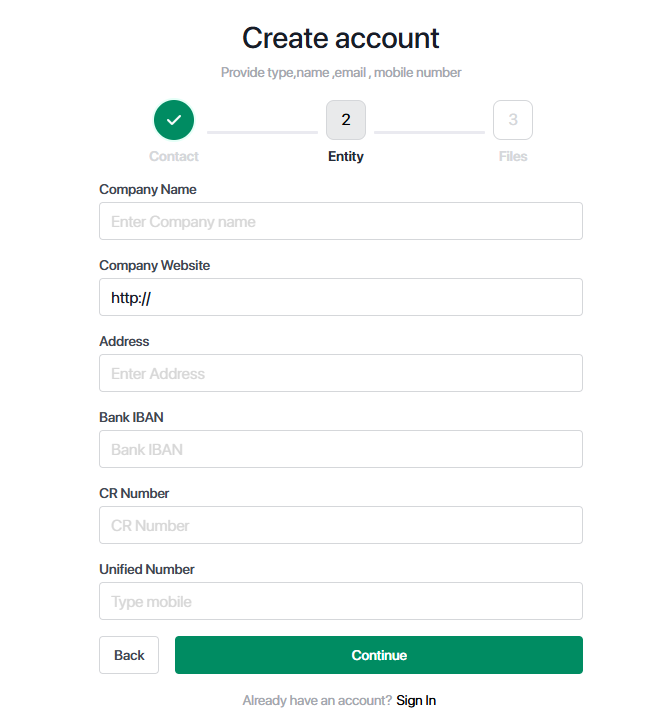
In this phase, you will provide specific details about your company or freelance entity.
Required Fields
| Field | Description | Example |
|---|---|---|
| Entity Name | Registered business name or personal name (for freelancers) | Sample Company |
| Entity Website | Official landing page or professional portfolio | https://example.com |
| Address | Registered business or residential address | Riyadh, Saudi Arabia |
| Bank IBAN | Valid Saudi Arabian IBAN (24 characters) | SA03 8000 0000 XXXX XXXX XXXX |
| CR Number | Commercial Registration Number issued by the Saudi Ministry of Commerce (10 digits) | 1011234567 |
| Unified Number | Issued by the Saudi Ministry of Commerce (10 digits, starts with 9200) | 9200123456 |
Phase 3: Essential Document Submission
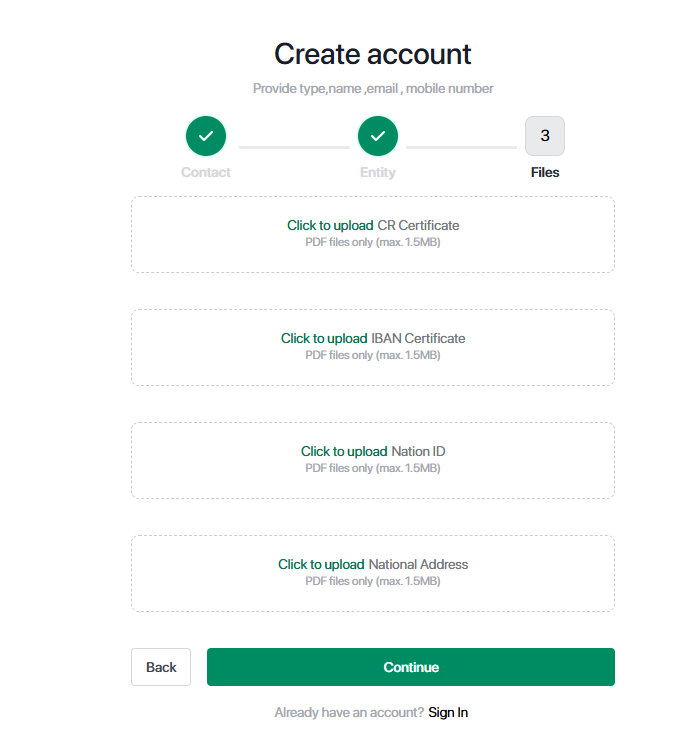
The final phase requires you to upload official documents for business verification.
Required Documents
| Document | Description / Source |
|---|---|
| CR Certificate | Your Commercial Registration certificate, issued by the Ministry of Commerce. |
| IBAN Certificate | A certificate from your bank, clearly showing the IBAN linked to your registered business name. |
| National ID | A copy of the personal ID for the business owner or the authorized representative. |
| National Address | Obtainable from the Saudi Post (SPL). Download from SPL National Address. |
Important Note: All uploaded files must be less than 1.5 MB in size and provided in PDF format.
What Happens After Registration? Your Next Steps
Upon successful submission of your registration form, your application will be promptly forwarded to EdfaPay’s dedicated business onboarding team for comprehensive review.
Next Steps
Our team will meticulously review all submitted information and documents.
You will be contacted via phone or email to proceed with the final verification steps and account activation.
Updated 6 months ago